
资讯通讯科技(应用学习项目)Information and Communications Technology (ALP)
Discover how we empower our students through the purposeful use of technology, digital literacy and its Applied Learning Programme, nurturing confident, responsible and innovative lifelong learners.
Our Objectives
Through the purposeful use of information and communications technology, we nurture lifelong learners and innovative leaders grounded in sound values. Our students develop essential digital literacy and technological skills to navigate the digital world confidently, while remaining committed to contributing positively to the community.
Our Key Programmes / Activities
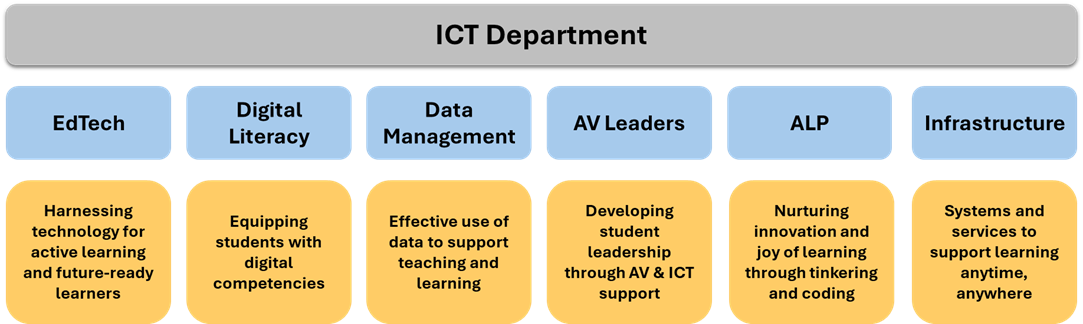
e-Pedagogy
e-Pedagogy refers to the purposeful use of technology to design active and engaging learning experiences. Guided by e-Pedagogy and the Educational Technology (EdTech) Pedagogical Scaffold (PS), our teachers design differentiated learning experiences that enhance student engagement, support subject mastery and develop 21st Century Competencies. Through thoughtfully designed learning experiences, we aim to develop our students as lifelong learners who find meaning and joy in learning.
.png)
Digital Literacy
Beyond using technology for learning, it is equally important for students to develop the knowledge, skills and dispositions to become innovative leaders and responsible users of digital technologies for information, communication and problem-solving.
Complementing our total curriculum approach, our in-house Digital Literacy Programme equips students with essential digital literacy and technological skills while supporting teachers in designing purposeful and meaningful learning experiences.
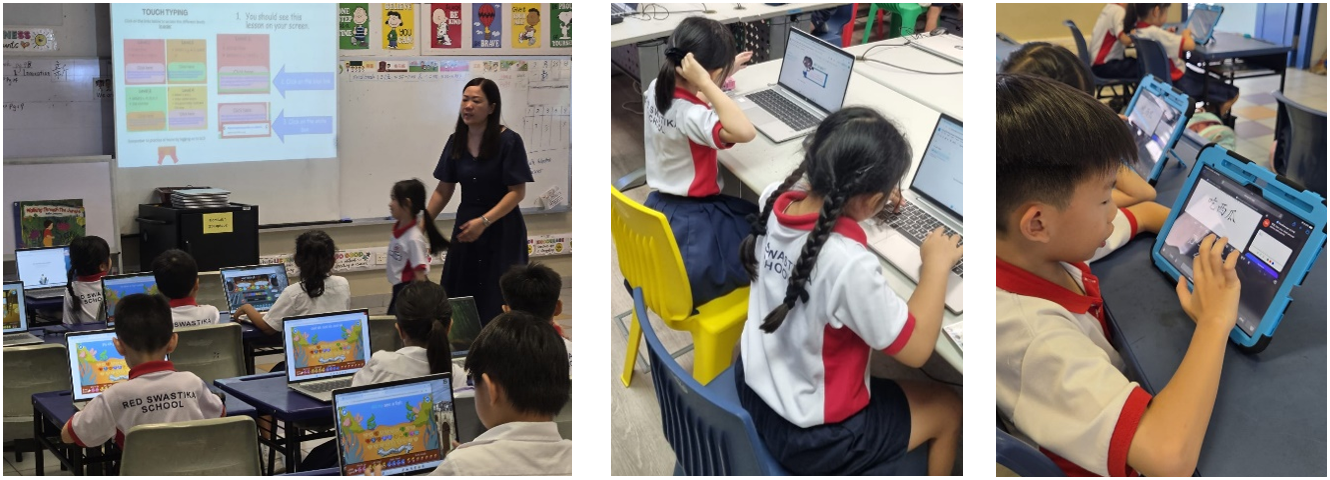
Touch-typing lessons, Google Classroom onboarding, and Chinese input lessons are provided for our P1, P2 and P3 students respectively to support teaching and learning.
AV Leaders
We provide leadership opportunities for students with an interest and flair in technology and digital skills to take on the role of AV Leaders where they grow in confidence and leadership. Through supporting classroom learning activities and school events, our AV Leaders develop responsibility, teamwork and problem-solving skills while contributing meaningfully to the school community.
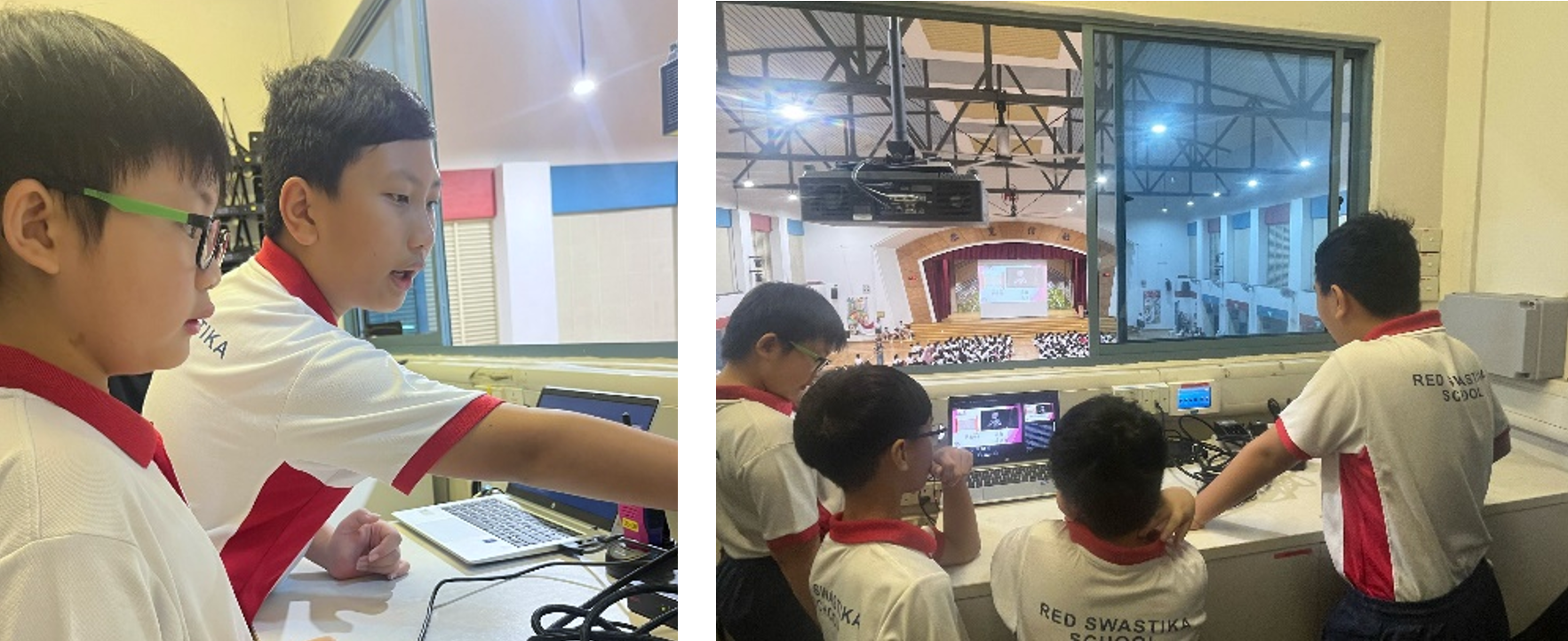
AV Leaders in action, supporting school events and mentoring juniors.
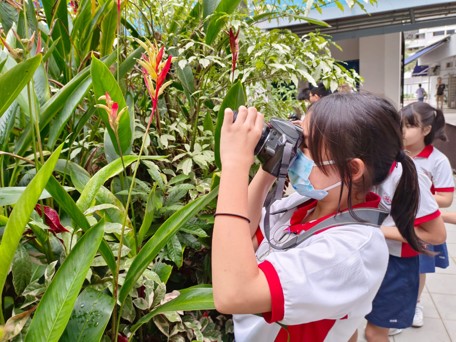
AV Leaders learning photography skills.
Applied Learning Programme (ALP) – Tinkers to Thinkers
As the Chinese saying goes, “学无止境” — learning is lifelong. Guided by this belief, our Applied Learning Programme (ALP), Tinkers to Thinkers, seeks to nurture the joy of learning in our students through hands-on, experiential and purposeful activities. This programme provides a safe and stimulating learning environment for students to tinker, explore, experiment and innovate. We believe that tinkering is an active thinking process. Through tinkering, students inquire, test ideas, reflect on outcomes, and refine their thinking.
Our ALP provides students with the opportunities to tinker with block-based coding. Through such learning experiences, they develop computational thinking and 21st Century Competencies, while gaining a deeper understanding of how coding and technology can be applied meaningfully in real‑world contexts. Students are challenged to design and create solutions to authentic problems, fostering creativity, resilience, and problem‑solving skills.
Tier 1 Programme (For All Students)
Our Tier 1 programme develops foundational coding concepts through two stages:
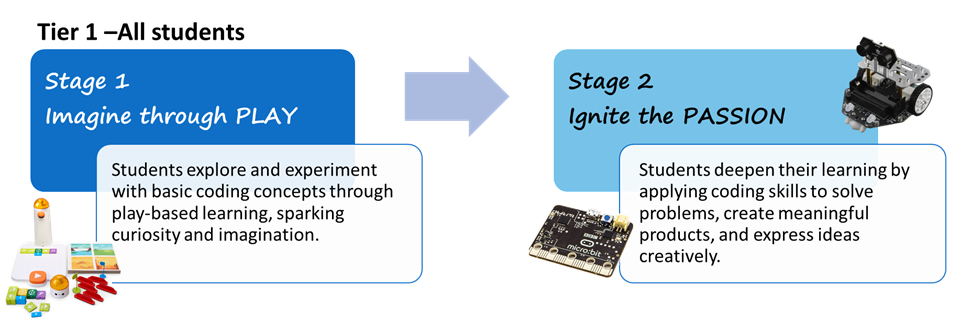
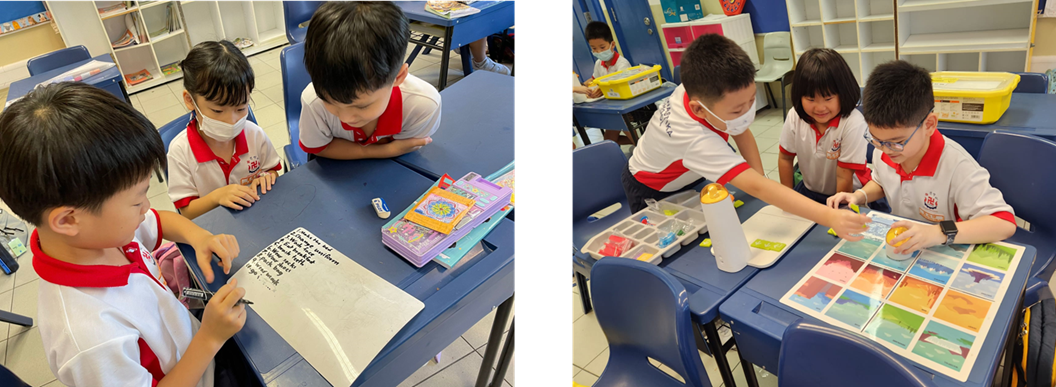
Our P1 and P2 students learning Computational Thinking Skills through Computer Science Unplugged activities and screenless coding sets.
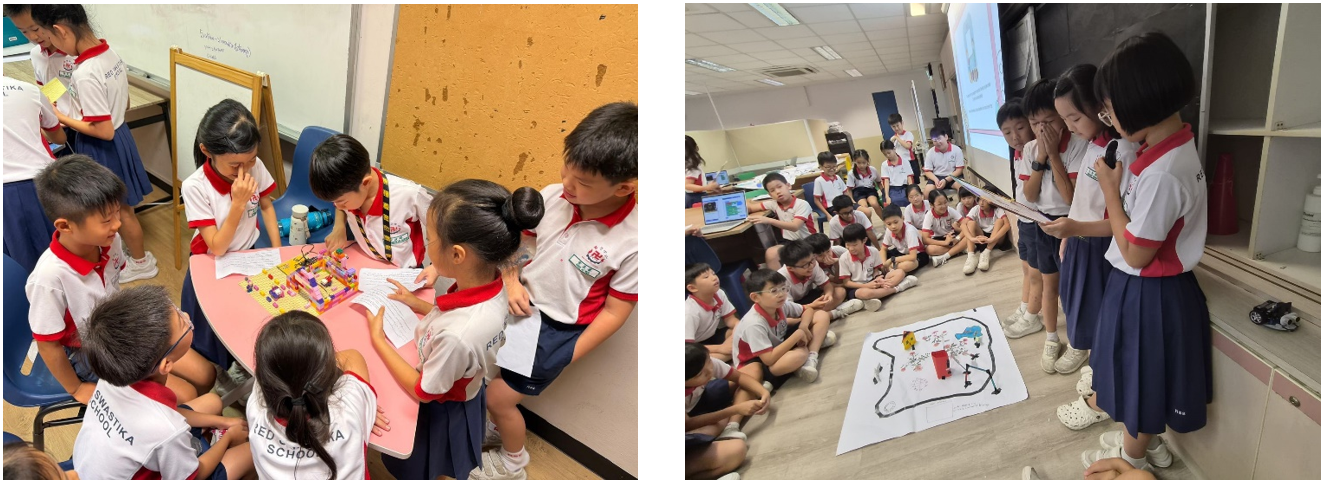
Our P3 and P4 students showcasing their Micro:bit projects to their classmates and juniors.
Our Tier 2 Programme caters to students with a strong interest in tinkering and innovation. Through our Makerspace activities, students are given opportunities to experiment, learn through trial and error, and design innovative solutions. Students who show a keen interest in coding may further develop their skills through participation in the Robotics Club, where they deepen their understanding of coding and computational thinking. In addition, students are provided with opportunities to participate in competitions, where they are challenged to apply their knowledge and skills to solve authentic problems in real‑world contexts.
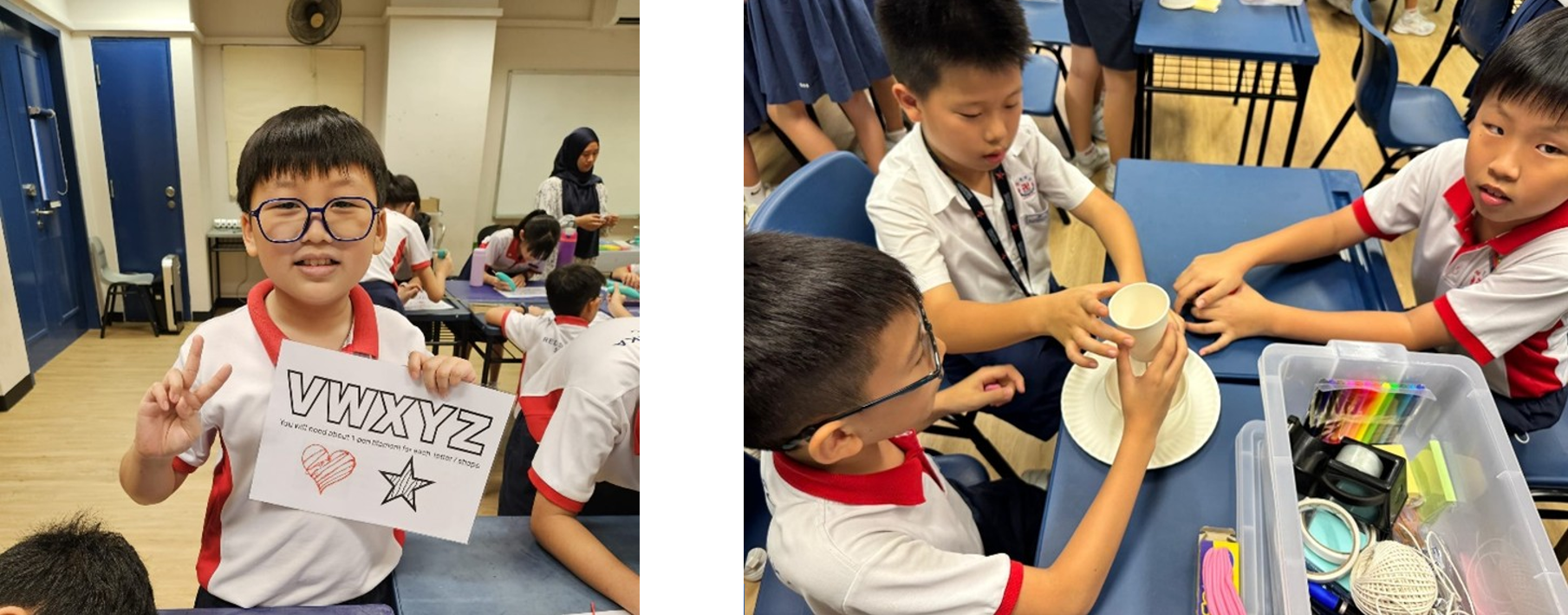
Creating our very own keychains using 3D pens. Designing a pirate ship that can carry most coins without sinking.
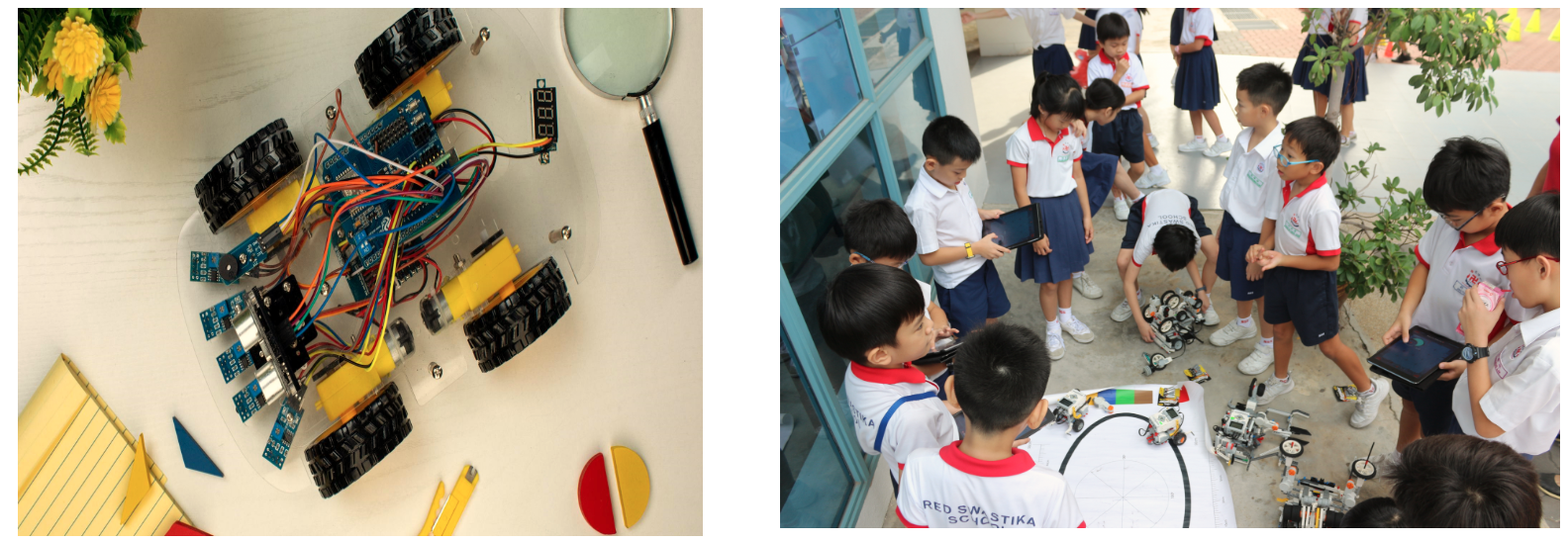
Robotics Club students showcasing the robots that they have designed and coded.